
How analysis works
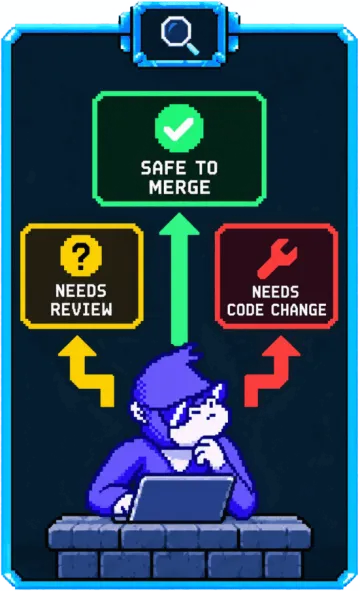
Dependabot tells you a package changed. It can’t tell you whether the change matters to your code. PatchWave answers that question for every update in a pull request.
What PatchWave reads
Section titled “What PatchWave reads”- The pull request: title, description, commits, and comments from people or other bots.
- Upstream changes: release notes, the changelog, and the commits between the old and new versions.
- Security advisories referenced by the pull request or the release notes.
- CI results, including logs from failed GitHub Actions and CircleCI jobs.
How it checks your code
Section titled “How it checks your code”When PatchWave analyzes an update PR, it checks out the code in an isolated sandbox. It uses language-aware tools, such as structural code search, type checkers, and your project’s own toolchain, to find where your code uses the changed parts of the package. It also checks whether you depend on the package directly or only through another package.
If an update includes a breaking change, PatchWave only marks it safe after confirming your code doesn’t use what changed.
The verdict
Section titled “The verdict”Each update gets one of two verdicts:
- Safe, for example: The update only changes lodash’s
templatefunction, and nothing in this repository calls it. - Action required, with a severity from low to critical. It needs a code fix, a human review, or both.
Evidence
Section titled “Evidence”Every conclusion links to its source: the changelog, release notes, a commit, or a file and line in your repository.
Supply-chain checks
Section titled “Supply-chain checks”If a package changes publisher, source repository, or build provenance, PatchWave flags it for human review.
When an update breaks your build
Section titled “When an update breaks your build”PatchWave fixes your code and asks you to review the fix. It never auto-merges its own fixes.
Supported ecosystems
Section titled “Supported ecosystems”PatchWave works on Dependabot pull requests in every ecosystem Dependabot supports.
Stuck? Email support@contextbridge.ai and a human will help.